Harness Engineering: The Secret to Making AI Agents Actually Work
The ultimate, end-to-end guide to Harness Engineering. Learn why AI agents fail, how harnesses fix them, and how to build your own — from zero to production.
Harness Engineering: The Secret to Making AI Agents Actually Work
Have you ever wondered why an AI that can pass the bar exam, ace a medical diagnosis, and write Shakespeare-level poetry... can't write a simple React component without breaking your entire CSS?
If you've been working with AI agents lately, you know the pain. You ask an AI to build a simple feature. It writes some code, silently deletes half your stylesheet, introduces three new bugs it doesn't tell you about, and then confidently announces: "I'm done!" — while your app is on fire in the background.
Most developers blame the AI. They say, "This model is stupid. I'll just wait for GPT-6."
But top engineers, the ones shipping real products with AI every single day .. they know a darker, more uncomfortable truth which is ..
If your agent is acting stupid, it's almost never a model problem. It's a configuration problem.
Welcome to Harness Engineering — the most important skill in AI development that nobody is teaching you.
In this guide, we are going to go from absolute zero to fully understanding what Harness Engineering is, why it matters, and how you can use it to turn a small, free, local AI model (running on Ollama on your laptop) into an absolute powerhouse that codes like a senior developer. This isn't folklore. It's a formalized academic and professional discipline now backed by hard data from Anthropic and OpenAI, and synthesized into a teachable framework by researchers like the WalkingLabs team behind Learn Harness Engineering.
No PhD required. No jargon. Just clear thinking and dark developer humor.
Table of Contents
- Before We Start: The Three Things You Need to Understand
- Part 1: What Exactly is "Harness Engineering"?
- Part 2: The Core Subsystems of Harness Engineering
- Part 3: Practical Architecture & Tools for Your Workspace
- Part 4: Supercharging Local Models (Ollama) with a Harness
- Part 5: Copy-Paste Ready Templates
- Conclusion: Stop Waiting for Smarter Models
Before We Start: The Three Things You Need to Understand
Before we jump into the deep end, there are three concepts you absolutely need to understand. Think of these as the foundation. If you skip this section, the rest of the article will feel like reading a recipe in a language you don't speak.
1. The "Naked" Model vs. The "Harnessed" Model
Have you ever thought about what an AI model looks like with absolutely NO setup around it? No tools, no rules, no file system access? Just... raw intelligence floating in the void?
Let's find out. Here is what happens when you talk to a "naked" AI model — a model with zero harness:
A naked AI model is like a genius brain floating in a jar. It can think about code. It can talk about code. It can even dream about code. But it can't actually do anything. It has no hands. No eyes. No memory. No sense of time. It doesn't know what day it is, what project you're working on, or what happened five minutes ago.
The analogy: Imagine hiring a world-class architect who has no pen, no paper, no computer, and no building materials. They can describe a beautiful skyscraper in vivid detail. But when you ask them to actually build it? They just... describe it again. More enthusiastically this time.
Now compare that to a "harnessed" model — the same brain, but now wrapped in an environment:
Same brain. Same intelligence. Completely different results. The difference? The harness.
Key Takeaway: The model is the brain. The harness is the body, the tools, the rules, and the memory. Without a harness, even the smartest AI is just an expensive autocomplete engine.
2. The Concept of a Sandbox: Why Your AI Needs a Playground
Have you ever handed a toddler a permanent marker and left the room? You come back to find the walls redecorated, the dog dyed blue, and your tax documents... well, "enhanced." That's what happens when an AI has unrestricted access to your system.
A sandbox is a safe, enclosed environment where the AI can do its work without accidentally destroying anything important. Think of it like a padded playroom for a hyperactive genius child:
- Inside the sandbox: The AI can read files, write files, run commands, install packages — everything it needs to be productive.
- Outside the sandbox: Your operating system, your personal files, your production database, your will to live — all safe and untouched.
Why does this matter? Because without a sandbox, an AI coding agent can (and will) do things like:
| What You Asked | What the AI Did (No Sandbox) |
|---|---|
| "Delete the old test files" | Ran rm -rf / and deleted your entire operating system |
| "Clean up the project" | Deleted your .env file with all your API keys |
| "Install the latest version" | Ran npm install on your production server at 3 AM |
| "Fix the database query" | Dropped the entire users table "to start fresh" |
These aren't hypothetical. These are real things that have happened to real developers. The AI wasn't being malicious — it was being literal. You said "clean up," and to an AI with no concept of consequences, rm -rf / is a very clean solution. The folder is now spotlessly empty. You're welcome.
The analogy: A sandbox is like giving a new intern their own separate development machine. They can break their stuff all day long. Your production server? Behind three locked doors, a retinal scanner, and a disapproving senior engineer named Dave.
Key Takeaway: A harness provides a sandbox — a controlled space where the AI has enough freedom to be useful, but not enough freedom to cause a catastrophe. Good sandboxes have clear boundaries: specific directories it can touch, specific commands it can run, and hard blocks on anything destructive.
3. Tool Calling for Dummies: How a Text Generator "Presses Buttons"
Here's something that breaks people's brains: AI models are just text generators. They predict the next word. That's it. So how on earth does a text-prediction machine "create a file" or "run a terminal command"?
The answer is beautifully simple, and once you understand it, harness engineering will make perfect sense.
Here's how tool calling actually works, step by step:
Step 1: The AI writes a special message.
When the AI "decides" to create a file, it doesn't magically reach into your computer. Instead, it outputs a structured text message — kind of like filling out a form:
{
  "tool": "create_file",
  "arguments": {
    "path": "src/app.js",
    "content": "console.log('Hello World!');"
  }
}
That's it. That's all the AI did. It wrote some JSON. It described what it wants to happen.
Step 2: The harness reads the form and does the actual work.
The harness — the software running around the AI — sees this JSON message and goes: "Oh, you want to create a file? Let me do that for you." The harness then actually writes the file to disk, using regular old Node.js or Python code. The AI never touched your file system. The harness did.
Step 3: The harness tells the AI what happened.
After creating the file, the harness sends a message back to the AI:
{
  "result": "success",
  "message": "File src/app.js created successfully (32 bytes)"
}
Now the AI knows the file was created and can continue with the next step.
The full loop looks like this:
AI Brain: "I should create a file"
     ↓ (writes a JSON tool call)
Harness: "Got it, I'll create the file"
     ↓ (actually creates the file on disk)
Harness: "Done, here's the result"
     ↓ (sends status back to AI)
AI Brain: "Great, now I should run the tests"
     ↓ (writes another JSON tool call)
...and so on.
The analogy: Imagine a celebrity chef on a cooking show. The chef (the AI) says, "Now we add two eggs and whisk them into the batter." But the chef doesn't actually crack the eggs. A kitchen assistant (the harness) standing off-camera does all the real work — cracking eggs, preheating ovens, washing dishes. The chef just narrates. The assistant executes.
Now here's where it gets interesting: the harness controls which tools the AI has access to. If you don't give the AI a "delete_file" tool, it literally cannot delete files. It can write the JSON form all day long, but the harness will just ignore it. It's like a chef asking for a blowtorch in a kitchen that doesn't have one. "Sorry chef, no blowtorch today. Here's a regular lighter."
Tool-Call Flow
Watch the loop. The brain only writes JSON. The harness only does the work.
"I need to create a file called app.js with the Express server."
{
  "tool": "create_file",
  "arguments": {
    "path": "src/app.js",
    "content": "..."
  }
}Step 1 of 6 · Brain is thinking
Key Takeaway: AI models don't actually "do" anything. They write structured requests. The harness reads those requests and performs the real actions. This means you have complete control over what the AI can and cannot do — by controlling the tools in your harness.
Part 1: What Exactly is "Harness Engineering"?
If AI models are so smart, why do they keep messing up simple tasks? And if the fix isn't a smarter model, then what IS the fix?
Let's start with a very simple equation, coined by AI researcher Viv Trivedy:
Agent = AI Model + Harness
We now know what the AI model is (a brain in a jar) and what a harness is (everything around that brain). Harness Engineering is the discipline of designing, building, and continuously improving that "everything around."
Claude Code, Cursor, GitHub Copilot, OpenCode — these are not models. They are harnesses. They are the tools, rules, memory systems, and safety nets that wrap around a model and turn raw intelligence into useful work.
And here's the thing: you can build your own.
Why Capable Models Still Fail (The $9 vs $200 Experiment)
If models are getting smarter every quarter, why do they keep breaking on real projects? Did the labs lie to us?
No. The labs didn't lie. They just measured the wrong thing.
There's a hard truth most people learn the hard way: the strongest model in the world will still fail on real engineering tasks if you don't build a proper environment around it.
You can see this in a famous controlled experiment that Anthropic ran. Same model — Claude Opus 4.5. Same prompt: "Build a 2D retro game editor."
- Without a harness: the model spent $9 in 20 minutes and produced a half-broken, unplayable prototype.
- With a full harness (planner + generator + evaluator working together): the same model spent $200 in 6 hours and built a game you could actually play.
The model didn't change. The harness did. One was a toy. The other was a 22x-quality leap that turned a 20-minute stunt into a 6-hour production.
OpenAI reported the same thing with Codex: in a well-harnessed repository, the same model goes from "unreliable" to "reliable." Not a marginal improvement — a qualitative shift. The capability gap between "smart on a benchmark" and "reliable on your real codebase" is exactly the gap that harness engineering is designed to close.
THE HARNESS PATTERN
                    ====================

    You --> give task --> Agent reads harness files --> Agent executes
                                                        |
                                              harness governs every step:
                                              |
                                              +--> Instructions: what to do, in what order
                                              +--> Scope:        one feature at a time, no overreach
                                              +--> State:        progress log, feature list, git history
                                              +--> Verification: tests, lint, type-check, smoke runs
                                              +--> Lifecycle:    init at start, clean state at end
                                              |
                                              v
                                         Agent stops only when
                                         verification passes
Key Takeaway: Benchmarks measure the brain. Harnesses measure the body. Most "AI is bad" complaints are actually "my harness is bad" complaints in a trench coat.
As Taught in the WalkingLabs Course
The framework in this post is a distillation of the open-source Learn Harness Engineering course — a 12-lecture, 6-project curriculum backed by Anthropic and OpenAI. Here's a peek at the real thing:
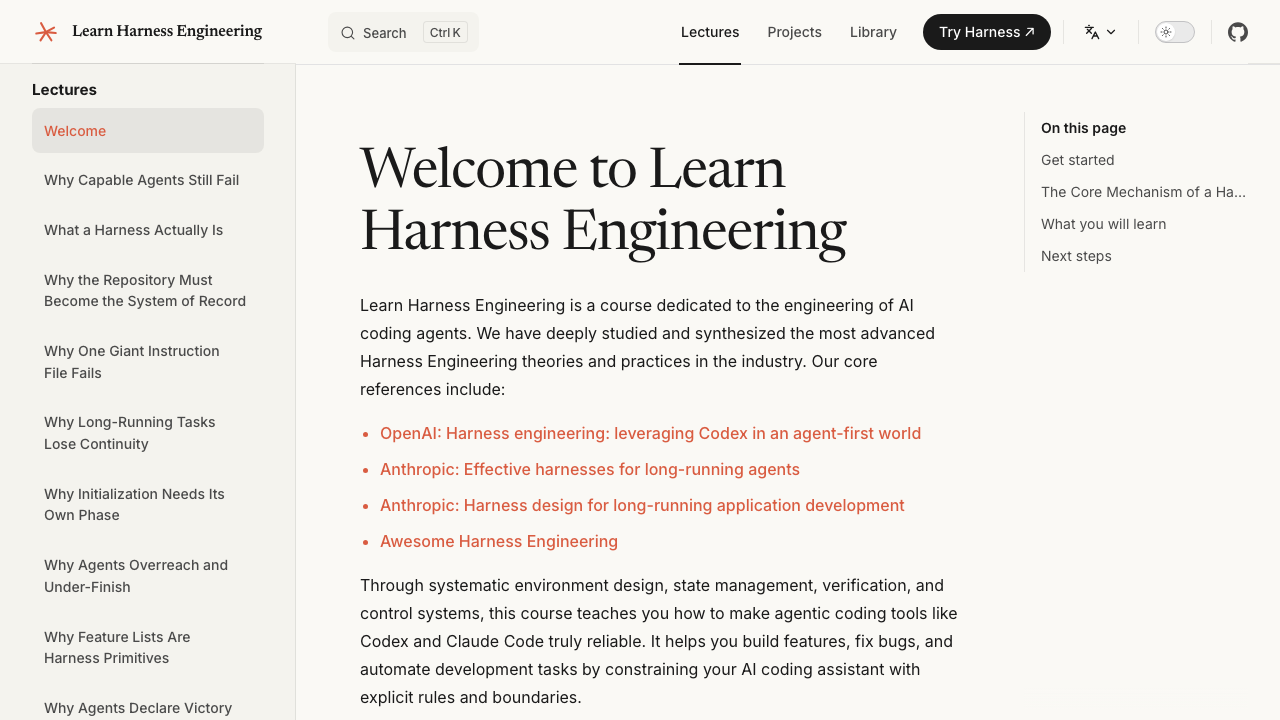
Course homepage — 12 lectures, 6 projects, 14 languages.
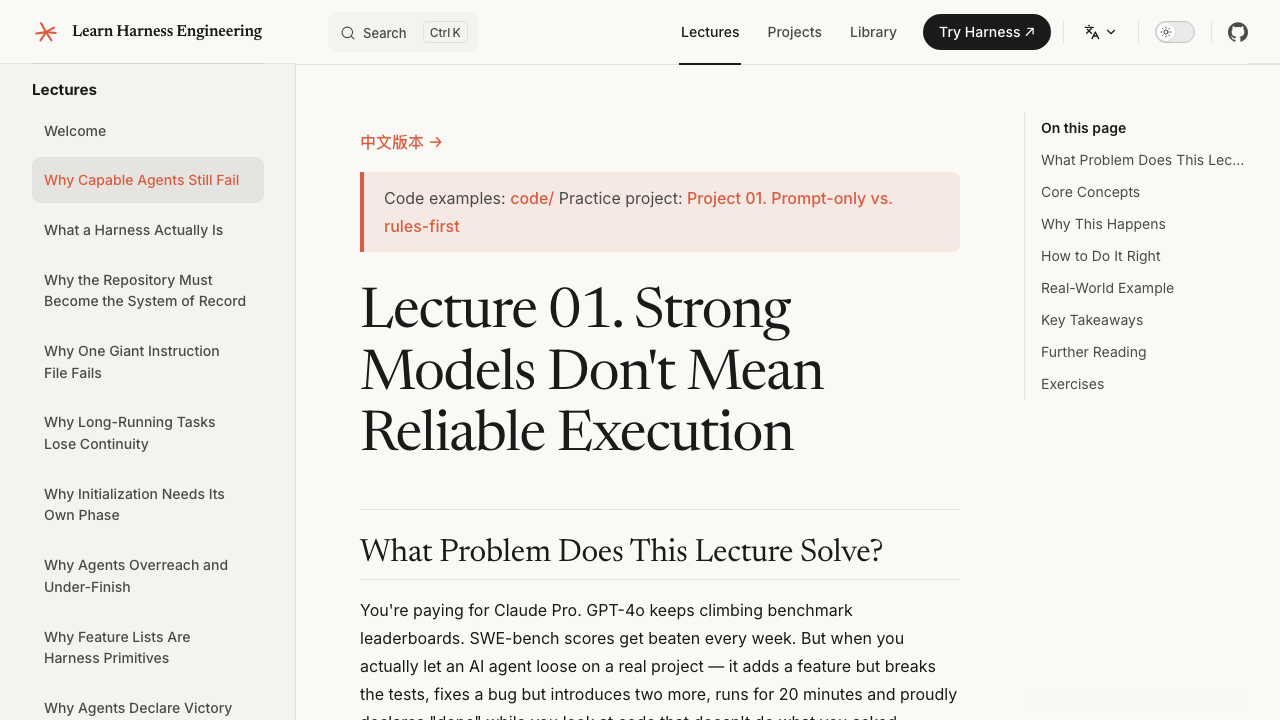
Immersive lecture view with hands-on project walkthroughs.
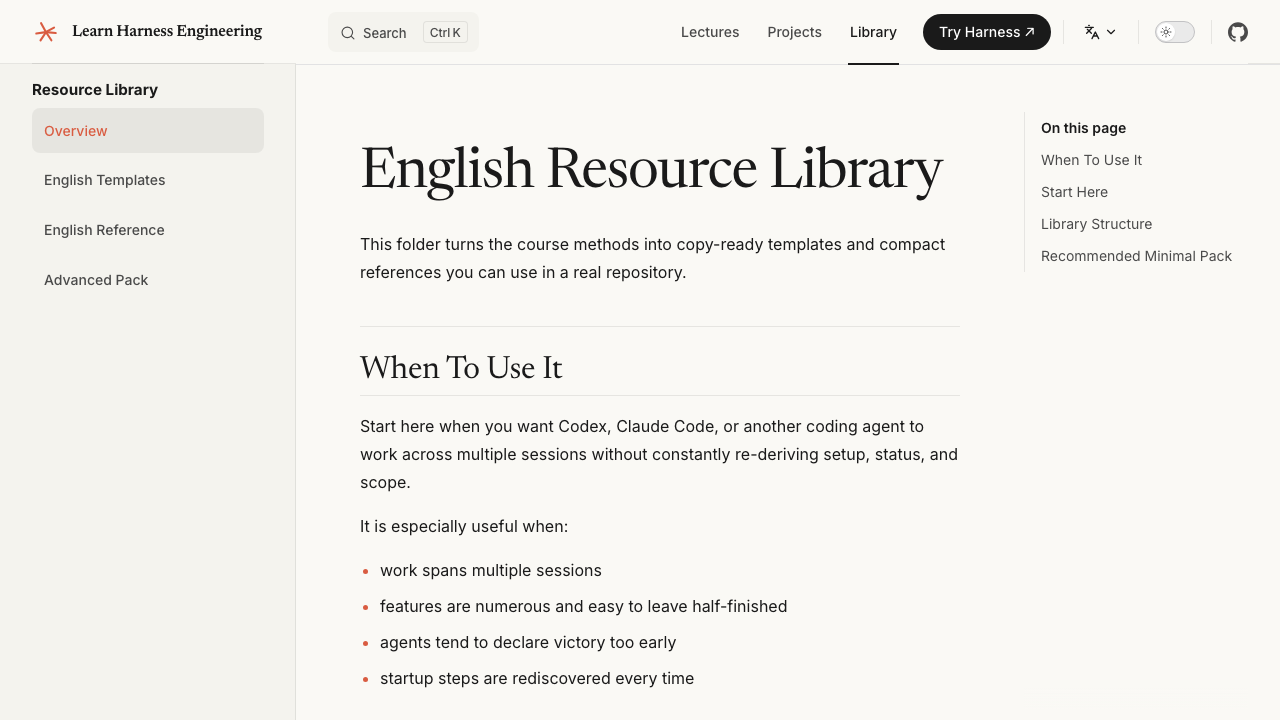
The resource library — copy-ready AGENTS.md, feature_list.json, init.sh templates.
The "Skill Issue" Reframe and The Ratchet Method
Have you ever watched an AI delete a test file and thought, "Well, that's AI for you"? What if I told you the correct response is NOT to shrug it off?
Addy Osmani recently wrote about a concept called the "Skill Issue Reframe." The idea is simple but powerful:
When your AI makes a mistake — any mistake — do not just delete the bad code and try again. That's like watching a puppy pee on the carpet, cleaning it up, and hoping the puppy magically learns not to do it again. Spoiler: the puppy will pee on the carpet again. Probably on the same spot.
Instead, treat every mistake as a permanent signal. Every failure tells you something about a gap in your harness. You must use what I call The Ratchet Method:
How a ratchet works in real life: A ratchet wrench only turns in one direction. You can tighten a bolt, but you can never accidentally loosen it. Your harness should work the same way — it should only get stricter, never looser.
The Ratchet Method in practice:
| The AI's Crime | Without Ratchet (What Most People Do) | With Ratchet (What You Should Do) |
|---|---|---|
| AI deletes a test file | You manually restore the file and re-run | You add a rule to AGENTS.md: "Never delete files in the __tests__ directory" |
AI uses console.log instead of your logger | You find-and-replace all the console.logs | You add a rule: "Use the project logger at src/utils/logger.ts. Never use console.log" |
AI installs a package with npm instead of pnpm | You delete package-lock.json and re-install with pnpm | You add a rule: "Package manager is pnpm. NEVER use npm or yarn." |
AI writes CommonJS require() in an ESM project | You rewrite the imports | You add a rule: "This project uses ESM. Always use import/export syntax." |
| AI writes a 500-line mega-function | You refactor it into smaller functions | You add a rule: "Maximum function length is 50 lines. Break larger functions into smaller, well-named helpers." |
Every row in that table is a turn of the ratchet. Click. Click. Click. Each failure makes your harness tighter, and eventually, the AI runs out of ways to mess up.
Key Takeaway: A ratchet only tightens. Your harness should get stricter every time the AI fails. You are not "training" the AI — you are building a cage of rules around it until the only thing it CAN do is write correct code.
A dark but accurate way to think about it: You are not educating the AI. You are trapping it. You are removing escape routes, one failure at a time, until the path of least resistance is... doing the right thing.
Part 2: The Core Subsystems of Harness Engineering
A good harness isn't a single magic prompt. It's a stack of five cooperating subsystems, each with one job to do. Miss one, and the whole thing leaks.
According to the latest engineering practices (like the WalkingLabs framework), a strong harness has five subsystems. Think of these as the five walls of the cage:
The 5 Subsystems of a Harness
Hover any subsystem to see what it owns. Every harness needs all five.
What to do, in what order, and what to read first.
AGENTS.md / CLAUDE.md / feature_list / docs/What has been done, what’s next, what’s blocked.
progress.md / feature_list / git log / session handoffOnly a passing test suite counts as evidence.
tests + lint + typecheck + smoke runs + e2eConstrain the agent to one feature. No overreach.
one feature at a time / explicit definition of doneInit at start. Clean state at end. Handoff for next session.
init.sh / clean-state checklist / handoff note┌────────────────────────────────────────────────────────────────┐
│ THE HARNESS │
│ │
│ ┌──────────────┐ ┌──────────────┐ ┌────────────────────┐ │
│ │ Instructions │ │ State │ │ Verification │ │
│ │ │ │ │ │ │ │
│ │ AGENTS.md │ │ progress.md │ │ tests + lint │ │
│ │ CLAUDE.md │ │ feature_list │ │ type-check │ │
│ │ feature_list │ │ git log │ │ smoke runs │ │
│ │ docs/ │ │ session hand │ │ e2e pipeline │ │
│ └──────────────┘ └──────────────┘ └────────────────────┘ │
│ │
│ ┌──────────────┐ ┌──────────────────────────────────────┐ │
│ │ Scope │ │ Session Lifecycle │ │
│ │ │ │ │ │
│ │ one feature │ │ init.sh at start │ │
│ │ at a time │ │ clean-state checklist at end │ │
│ │ definition │ │ handoff note for next session │ │
│ │ of done │ │ commit only when safe to resume │ │
│ └──────────────┘ └──────────────────────────────────────┘ │
│ │
└────────────────────────────────────────────────────────────────┘
The MODEL decides what code to write.
The HARNESS governs when, where, and how it writes it.
The harness doesn't make the model smarter.
It makes the model's output reliable.Each subsystem has one job:
- Instructions — Tell the agent what to do, in what order, and what to read before starting. Not one giant file; a progressive disclosure structure the agent navigates on demand.
- State — Track what's been done, what's in progress, and what's next. Persisted to disk so the next session picks up exactly where the last one left off.
- Verification — Only a passing test suite counts as evidence. The agent cannot declare victory without runnable proof.
- Scope — Constrain the agent to one feature at a time. No overreach. No half-finishing three things. No rewriting the feature list to hide unfinished work.
- Session Lifecycle — Initialize at the start. Clean up at the end. Leave a clean restart path for the next session.
The model decides what code to write. The harness governs when, where, and how it writes it. Let's go deeper on each.
1. Instructions: Progressive Disclosure vs. The Bloat Trap
More instructions = more control, right? Then why does your 4,000-line AGENTS.md file get worse results than a 200-line one?
The most common mistake teams make is to throw everything into one giant instruction file. The logic sounds reasonable: "If a little context helps, a lot of context must help a lot."
It doesn't. It makes things measurably worse. Here's why.
Why Giant Instruction Files Fail
1. "Lost in the Middle" Effect. Research on long-context LLMs shows a U-shaped attention curve: models attend strongly to the start and end of the context, and increasingly ignore the middle. Drop your most important rule into the middle of a 4,000-line file and the AI will forget it exists by step 3 of the task.
2. Technical Debt / Decay. Every rule you add is a rule you have to maintain forever. Rules become outdated. They contradict each other. The file becomes a museum of past panics. Six months later, nobody (including the AI) knows which rules still apply.
3. Context Dilution (Low SNR). SNR — Signal-to-Noise Ratio. A 200-line AGENTS.md with 200 lines of relevant rules has an SNR of 1.0. A 4,000-line file with 200 relevant lines and 3,800 lines of "just in case" trivia has an SNR of 0.05. The model's attention is finite. Every irrelevant line subtracts capacity from the relevant ones.
4. Conflicting Rules. The longer the file, the higher the chance two rules contradict each other. The model then has to guess which one to follow, and it will guess wrong at the worst possible time.
The Fix: Progressive Disclosure
Progressive Disclosure is a UX principle borrowed from the web: don't show users everything at once — show them what they need right now, and let them dig deeper when they need it. Apply that to your harness:
- One global entry file (
AGENTS.mdorCLAUDE.md) — short, opinionated, points to everything else. Think of it as the table of contents for your project. - Domain-specific rule files that live next to the code they govern:
src/components/AGENTS.md— UI conventionssrc/api/AGENTS.md— API conventionstests/AGENTS.md— testing rulesdocs/AGENTS.md— documentation rules
- The agent navigates them on demand. The harness tells the AI: "If you're about to edit a file in
src/api/, first readsrc/api/AGENTS.md." The model only loads context it actually needs.
PROJECT ROOT
    ├── AGENTS.md                <-- global rules, ≤200 lines
    ├── docs/
    │   ├── architecture.md
    │   └── AGENTS.md            <-- "you're in docs territory, read these"
    ├── src/
    │   ├── api/AGENTS.md        <-- "API conventions: REST, no snake_case, ..."
    │   ├── components/AGENTS.md <-- "UI: shadcn only, no inline styles, ..."
    │   └── utils/AGENTS.md
    └── tests/AGENTS.md          <-- "Vitest, not Jest, 80% coverage floor"
The global file is short. The domain files are short. The agent reads what it needs, when it needs it, and the rest of the context window stays free for the actual code it's writing.
Key Takeaway: Treat your instruction files like a well-organized API doc, not a Terms of Service agreement. Short, modular, navigable, and never load anything the agent doesn't need right now.
2. State: The Repository as the System of Record & Feature Primitives
AI models have no persistent memory. So where does state actually live? In the chat? In the model's head? In a magic cloud? No. It lives in the repo.
If you remember only one thing from this section, make it this:
If the agent can't see it, it doesn't exist.
Harnesses that rely on the model's "memory" of what it did last session are guaranteed to fail. The model's context is volatile, lossy, and gets compressed over time. The repository is the System of Record — the single source of truth that every new session reads from.
The Fresh Session Test
Before you trust a harness, run the Fresh Session Test. Spin up a brand-new agent session — no chat history, no context, no warm-up. Drop it into your repo and ask it to make progress on the project. Then ask it these 5 questions:
- What is this project, in one sentence?
- What has already been built? (List the major features.)
- What is currently in progress, and what is the definition of done?
- What is the next concrete task?
- What known issues or constraints should I avoid?
If your new session can answer all five by reading the repo, your harness is healthy. If it has to ask you, your harness is broken. The repo is a leaky abstraction over the project's state, and the agent is going to fall into the gaps.
Feature Lists as Primitives
This is where the framework goes from "philosophy" to "engineering." A feature list is a machine-readable file (typically feature_list.json) that lives in the repo and acts as a scope boundary the agent cannot ignore.
Each feature has a Triple Structure:
{
  "id": "AUTH-001",
  "description": "User can register with email + password",
  "verification": "Run `pytest tests/test_auth.py::test_register` and assert exit 0",
  "status": "passing"
}| Field | Purpose | Why it matters |
|---|---|---|
description | The user-visible behavior (not implementation). | Tells the agent what "done" looks like in human terms. |
verification | The exact command that proves the feature works. | Removes the agent's ability to self-declare victory. The shell is the judge. |
status | not_started | active | blocked | passing | A state machine the agent must transition correctly. |
The Feature State Machine
not_started  ──pick──▶  active  ──pass──▶  passing
                              │
                              └─hit blocker──▶  blocked
                                                    │
                                       unblock  ───┘
                                                    ▼
                                                  active
An agent is never allowed to silently downgrade a feature's status. It can move it from not_started → active → passing. It can move active → blocked with a written reason. It cannot move passing → active to "fix it" without leaving a trail.
This is a tiny piece of engineering with a giant effect: it makes the agent's progress observable, falsifiable, and reversible — three properties that "chat memory" can never give you.
Feature State Machine
The agent can only move between states via the allowed transitions. Try clicking the buttons.
Agent hasn't touched this yet. Up for grabs.
Key Takeaway: Stop relying on chat history as state. Persist state in the repo. Make it machine-readable. Make it auditable. Make it impossible to lie about.
3. Verification: Pass Tests or No Victory
Your AI just spent 20 minutes "refactoring" the auth module. It says it's done. It is smiling. It is lying.
This is the most important pillar of the harness, and the one teams skip most often. Verification is the wall between "the agent said it's done" and "the agent proved it's done."
3-Layer Termination Check
Run each layer in order. The agent is not done until all three are green.
Static Analysis
$ pnpm lint && pnpm typecheck- ESLint passes
- TypeScript compiles
- No unused imports
Execution / Unit Tests
$ pnpm test- All unit tests green
- No regressions
- Coverage on new code
End-to-End Flow
$ pnpm test:e2e- User flow works
- DB round-trips succeed
- Real HTTP response 200
Confidence Calibration Bias
Neural networks are systematically overconfident. Not because they're stupid, but because their training objective rewards fluent, confident-sounding answers. The model is not optimizing for truth. It's optimizing for "what would a competent human say next?" — and competent humans rarely open with "I'm not sure, but maybe..."
This bias leaks directly into your agent's self-assessments. When the agent says "Done! All tests should pass!" it's expressing vibes, not evidence. You need machine-checked evidence.
The Three-Layer Termination Check
A robust harness refuses to let the agent declare victory until three independent layers of verification pass.
| Layer | What it checks | Examples |
|---|---|---|
| 1. Static analysis | Does the code parse and type-check cleanly? | eslint, tsc --noEmit, ruff check, mypy |
| 2. Execution / startup | Does the code run? | pytest tests/, npm test, DB migrations, server health check |
| 3. E2E / validation | Does the code do the right thing end-to-end? | Simulated user flow, Playwright/Selenium run, curl the actual endpoint and inspect the response |
If any layer fails, the agent is not done. It loops back, fixes the issue, and re-runs the whole pipeline. Only when all three are green does the harness say: "Verified. Task complete."
Why Unit Tests Pass But Tasks Still Fail
This is the part that drives new harness engineers insane. The unit tests are green. The linter is clean. The build succeeds. And yet the feature is clearly broken.
Three common culprits:
- Interface mismatches. The unit test exercises the function in isolation, but the function was wired up to its real caller with the wrong argument shape. The test passes; the integration fails.
- State propagation errors. A function works correctly, but its return value gets dropped, mutated, or shadowed by the caller. Unit-level reasoning misses this; only end-to-end reasoning catches it.
- Environment latency / order-of-operations. A test that calls an async API with a 50ms timeout passes locally but fails in CI where the network is slower. The code is "correct" in a vacuum; the system is broken in context.
The fix isn't better unit tests. The fix is mandatory Layer 3 — run the actual user flow, against the actual system, and only mark the feature passing if that flow works.
Auto-Correction Loops (Write the Fix Into the Error Message)
One of the cheapest, highest-ROI tricks in harness engineering: when verification fails, write the error message such that it embeds the fix instructions.
Bad error message:
TypeError: undefined is not a function
Good harness error message (what the AI actually sees):
TypeError in src/api/auth.ts:42 — `bcrypt.compare` is undefined.
FIX: The default export of `bcrypt` is `{ compare, hash }`.
     You wrote: bcrypt.compare(...)
     You should write: (await import('bcrypt')).compare(...)
After fixing, re-run: pnpm test src/api/auth.test.ts
Same error, but the harness has already done 50% of the AI's debugging for it. The AI just has to follow the breadcrumb. This compresses "agent flails for 4 turns" into "agent fixes it in 1 turn," which compounds across thousands of tasks.
Key Takeaway: Never trust the AI's self-assessment. Always verify with automated tools, and require three independent layers. The AI should earn the right to say "done" — not just claim it.
4. Scope: WIP=1 and Task Boundaries
Why does your agent, given a 10-feature spec, finish 3 features, half-finish 4, and break 2 — and then say "done"?
Because you gave it 10 features at once. That's the entire problem.
The Math of the Reasoning Budget
A useful way to think about a model's context window is as a finite reasoning budget C. The more concurrent tasks you shove in, the more that budget is split.
Roughly:
Reasoning per task ≈ C / k
Where k is the number of active tasks. As k grows, the per-task reasoning collapses. At k = 1, the AI thinks deeply. At k = 10, the AI skims, pattern-matches from training data, and ships plausible-looking nonsense.
WIP=1: The Workflow
The fix is a discipline borrowed from lean manufacturing: Work-In-Progress limit of 1. In practice:
- The agent's only job in any given session is to finish exactly one feature from the feature list.
- The harness refuses to start a second feature until the first is verified and marked
passing. - The session ends after the one feature is done. The next session reads
progress.md, picks the nextnot_startedfeature, and repeats.
This sounds slow. It is not. It is faster, because you eliminate the entire "rewind and fix what we accidentally broke" cycle that comes from overloading context.
Key Takeaway: One feature per session. Always. The math rewards it, the agent needs it, and your sanity depends on it.
5. Session Lifecycle: The Clean Handoff
Why does your agent always seem to rush the last 10% of a task? Why does it leave the codebase in a weird half-state and then say goodbye?
Because the agent doesn't have a lifecycle. It has a chat window. And chat windows are bad at endings.
Why Initialization Needs Its Own Phase
Most harnesses launch an agent like this: "Here's the repo. Go." The agent immediately starts guessing. It assumes the project is React when it's Vue. It assumes the package manager is npm when it's pnpm. It assumes the database is Postgres when it's SQLite. It writes 200 lines of code based on these guesses, runs them, and they fail.
The fix: treat initialization as its own phase, with a dedicated script (conventionally init.sh) that runs before the agent touches a single file:
#!/usr/bin/env bash
# init.sh — runs at the start of every agent session
set -euo pipefail

echo "==> Installing dependencies"
pnpm install --frozen-lockfile

echo "==> Running static analysis"
pnpm lint
pnpm typecheck

echo "==> Running test suite"
pnpm test

echo "==> Health check"
curl --fail http://localhost:3000/health || echo "App not running (expected for cold start)"

echo "==> Reading state files"
echo "    AGENTS.md       : $(wc -l < AGENTS.md) lines"
echo "    progress.md     : $(wc -l < progress.md) lines"
echo "    feature_list.json : $(jq 'length' feature_list.json) features"
If init.sh exits non-zero, the harness does not let the agent start. The repo isn't ready, the agent isn't ready, and any work the agent would do is built on quicksand.
Context Anxiety and the "Rushed Finish"
The opposite problem is what engineers call context anxiety. As the context window fills up, the model starts behaving like a student who knows the bell is about to ring:
- It cuts corners.
- It skips edge cases.
- It declares victory on partially-implemented features.
- It "summarizes" code instead of writing it.
- It writes a 3-line commit message for a 200-line change and runs for the exit.
The harness fights this with explicit handoff protocols. A handoff is a small, structured note (conventionally progress.md or a session handoff doc) that the agent writes at the end of its session, summarizing:
- What it completed this session
- What is now unblocked or newly blocked
- Exact paths to the diffs and the verification logs
- The one next task the next session should pick up
The 5 Conditions of a Clean State
A session is allowed to end only when all 5 of these are true. This is the "definition of done" for the session, not just the feature:
- ✅ Build passes —
pnpm buildexits 0. - ✅ Tests pass —
pnpm testis green; new tests cover the work. - ✅ Progress is recorded —
progress.mdis updated,feature_list.jsonis updated. - ✅ No stale artifacts — no debug
console.logs, no scratch files, no half-removed imports. - ✅ Startup path is available —
init.shruns cleanly from a cold checkout, and a new session can pick up the next task without human help.
If even one of these is false, the session is not over. The agent is in a broken state and must fix it before closing the loop.
Centralizing Invariants and the OpenAI Codex Cleanup Loop
A common pattern — popularized by OpenAI's own Codex agent — is to centralize the invariants in a single file the agent reads at the end of every task:
# invariants.md — read at the end of every task
- No file in src/ may import a package not listed in package.json.
- No .ts file may use `any` outside of tests/.
- Every new route must have a corresponding test in tests/routes/.
- Every PR must include a `progress.md` update.
- Lint and typecheck must pass before "done" is claimed.
After the agent finishes a feature, the harness runs a cleanup loop:
- Re-read
invariants.md. - For each invariant, run an automated check (or a focused grep / lint rule).
- If an invariant is violated, feed the violation back to the agent with the fix instructions and re-verify.
- Only when every invariant is satisfied does the harness let the session end.
This is the harness equivalent of a surgeon counting the sponges before closing the patient. It's boring. It is the only reason patients survive surgery.
5 Conditions of a Clean State
The session is allowed to end only when every box is checked.
Key Takeaway: Sessions must start clean and end clean. Initialization is its own phase. Handoff is its own artifact. The session doesn't end when the agent feels like stopping — it ends when the 5 conditions of a clean state are all true.
Part 3: Practical Architecture & Tools for Your Workspace
Theory is great. What does the harness actually look like in your terminal?
Now that we have the five subsystems in our head, let's wire them up into a workspace you can actually use tomorrow.
1. The 2-Agent Architecture (Planner & Executor)
Have you ever given someone a massive, complex task and watched them freeze? They don't know where to start, so they start everywhere at once, and the result is chaos. AIs do the same thing.
If you give an AI a massive task — like "Build me an authentication system with email verification, OAuth, password reset, and role-based access control" — it will suffer from a panic attack. It tries to think about everything at once, its context window fills up with half-finished thoughts, and it starts writing garbage.
The fix: separate the thinking from the doing.
| Agent 1: The Planner 🧠 | Agent 2: The Executor ⚡ | |
|---|---|---|
| Role | Reads requirements, writes a step-by-step plan | Reads the plan, writes the code |
| Allowed to write code? | ❌ Absolutely not | ✅ That's its only job |
| Output | A detailed Markdown plan in progress.md | Working, tested code |
| Analogy | The architect drawing blueprints | The construction crew building from blueprints |
Without the 2-Agent split:
You: "Build an auth system with email verification."

Single AI: "OK so I need a user model and also email templates
           and also middleware and also I should set up the
           database schema and wait what was the password hashing
           library and also I need JWT tokens and also—"

*writes 800 lines of spaghetti code with 12 bugs*

Single AI: "Done! 😊"
With the 2-Agent split:
You: "Build an auth system with email verification."

Planner AI: "Here is the plan:
  1. Create User model with email, password hash, verified flag
  2. Create /register endpoint (hash password, save user)
  3. Create /verify-email endpoint (token validation)
  4. Create email template for verification
  5. Create /login endpoint (check password, check verified)
  6. Add auth middleware for protected routes

  Each step is independent. Do them one at a time."

Executor AI: *reads step 1, implements ONLY step 1, tests it*
             *reads step 2, implements ONLY step 2, tests it*
             *...and so on*
Same AI brain. Same intelligence. But by separating the planning from the execution, each step is small, focused, and testable. The AI doesn't have to hold the entire project in its head at once.
The analogy: Imagine trying to cook a 7-course dinner. If you try to cook all 7 courses simultaneously, you'll burn the soup, undercook the steak, and forget the dessert entirely. But if you write out the menu first, then cook one course at a time? Michelin-star material.
2. The Sidecar System (AGENTS.md)
What if you could give your AI a "personality transplant" just by editing a text file?
Instead of pasting rules into the chat every single time (which wastes tokens and your time), my harness uses a sidecar file called AGENTS.md. This file lives in the root of my project directory. Every time OpenCode starts a session, the harness automatically reads this file and injects the rules into the model's brain.
Here's the beautiful part: If the AI uses the wrong UI component — say, it uses a <div> instead of your custom <Card> component — I don't yell at it in the chat. I just open AGENTS.md, add a new rule, and the next time the AI runs, it knows.
## Component Rules
- Always use the <Card> component from `src/components/ui/Card.tsx`
  for content containers.
- Never use raw <div> elements for layout.
  Use the <Stack> and <Grid> components instead.
That's it. That's the fix. No arguing with the AI. No re-explaining yourself. Just one line in a file, and the AI will never make that mistake again in this project.
The analogy: It's like those laminated signs in office kitchens. You know the ones: "PLEASE DO NOT MICROWAVE FISH." Nobody had to stand in the kitchen 24/7 enforcing the rule. They wrote it down once, laminated it, and stuck it to the microwave. Problem solved forever.
Your AGENTS.md file is a collection of laminated signs for your AI.
3. Tool-Call Offloading (Keeping the Brain Clean)
Have you thought about what happens when your AI reads a 2,000-line error log? Its brain fills up with error messages, and it forgets what it was actually trying to do. This is called "Context Rot," and it's the silent killer of AI productivity.
AI models have a limited context window — the amount of text they can "hold in their head" at once. Think of it like a desk. A small desk can only hold so many papers before things start falling off the edges.
When a massive error log or a huge file gets dumped into the AI's context, it pushes out the important stuff — like what the original task was, what the project structure looks like, or what rules it should follow.
Without offloading:
AI runs a build command → 2,000 lines of webpack errors
flood the context → AI forgets the original task →
AI starts "fixing" random files → Chaos.
With offloading:
AI runs a build command → Harness intercepts the 2,000-line
output → Harness saves it to /tmp/build-errors.txt →
Harness tells the AI: "Build failed. 47 errors found.
Saved full log to /tmp/build-errors.txt. Top 3 errors:
1. Missing import in Header.tsx
2. Type error in utils/api.ts
3. Unused variable in App.tsx" → AI's context stays clean
→ AI fixes the top 3 errors → Happiness.
The harness acts as a secretary for the AI. It takes the messy, overwhelming information, summarizes it, files away the details, and only gives the AI what it needs to take action.
The analogy: Imagine a CEO who reads every single email that comes into the company — including spam, newsletters, and "reply all" chains about the office birthday party. They'd never get any real work done. That's your AI without offloading. A good executive assistant (the harness) filters, summarizes, and only surfaces the important stuff.
4. Runtime vs. Process Observability (Two Different Telemetries)
How do you know if your agent is actually doing the right work, or just looking busy?
This is where most harnesses go blind. They treat "the agent is doing stuff" as success. They don't distinguish between:
| Runtime Observability | Process Observability | |
|---|---|---|
| Question it answers | "What is the agent doing right now?" | "Is the agent doing the right thing?" |
| Signals | Logs, traces, tool-call streams, current file diff | Sprint contract, rubric scorecards, OKR alignment |
| Granularity | Per tool call, per second | Per feature, per session |
| Failure mode it catches | Crashes, infinite loops, stuck tool calls | Goal drift, scope creep, "done but wrong" |
| Analogy | A car's dashboard (RPM, fuel, speed) | A car's GPS (are you on the route to the destination?) |
You need both. Runtime observability tells you the engine is running. Process observability tells you you're driving to the right city. A harness that only has dashboards but no GPS will happily drive you into a lake because the engine sounded fine.
Key Takeaway: Don't conflate activity with progress. The agent emitting 500 tool calls is not the same as the agent being 500 steps closer to a working product. Measure both.
Part 4: Supercharging Local Models (Ollama) with a Harness
What if I told you that a free model running on your laptop could perform like a senior developer? The catch: it needs a MUCH stricter harness.
Running local models like DeepSeek, Llama-3, or Qwen through Ollama is amazing for privacy and cost. Nobody sees your code. No API bills. No rate limits. Code at 2 AM in your underwear without worrying about the cloud. Beautiful.
But let's be honest: local models have smaller context windows and weaker reasoning than the big cloud models. If you treat a 7B parameter local model the same way you treat Claude or GPT-4, it will crash and burn spectacularly.
The good news: With a brutal, strict, no-mercy harness, you can make a free local model punch way above its weight class. Here's how, with each technique explicitly grounded in the five subsystems we just covered.
1. The "Ralph Loop" (Micro-Orchestration = Scope + Session Lifecycle in Action)
Why does a local model forget step 1 by the time it reaches step 3? And what can you do about it?
You can never give a local model a 10-step task. Its context window is too small. It's like giving someone a grocery list of 50 items, but they can only remember 5 at a time. By the time they reach the dairy aisle, they've forgotten why they're at the store.
The solution: The Ralph Loop — a concept popularized by engineers like Cole Medin. The Ralph Loop is literally the Scope + Session Lifecycle subsystems, applied at the smallest possible granularity.
Ralph Loop — Relay Race Simulator
Click Next Runner to send a fresh, single-task session into the repo. Each one is killed after it finishes — no fatigue, no context rot.
Each runner owns ONE micro-task. No cross-contamination. No context rot. (Runner 1 of 5)
Instead of giving the AI a big task and hoping for the best, you write a simple script that feeds the AI model one tiny feature at a time (Scope = 1). Once that micro-feature is done and verified (Verification = the three-layer check), the script does something radical: it kills the entire AI session, wipes its memory completely, and starts a brand new, fresh session for the next feature (Session Lifecycle = end clean, start clean).
Without Ralph Loop:
You: "Build a todo app with add, delete, edit, and filter."

Local AI (7B model):
  "OK! Let me start with the add feature...
   *writes add feature*
   Now the delete feature... wait, what was the add
   feature doing again? Let me re-read...
   *context window filling up*
   Now the edit feature... hmm, I'm getting confused.
   Who am I? What is a todo? Why are we here?"

   *outputs broken, contradictory code*
With Ralph Loop:
Script: "AI, here is micro-task 1: Create a Todo component
        that displays a list of todos from props. That's it."

Local AI: *reads task, writes component, tests pass* ✅

Script: *kills AI session, wipes memory*
Script: *starts fresh session*
Script: "AI, here is micro-task 2: Add an 'Add Todo' form
        that appends to the list. Here is the current
        codebase: [files]. That's it."

Local AI: *reads task, reads existing code, adds the form* ✅

Script: *kills again, starts fresh again*
... and so on for each micro-feature.
Each micro-session is clean, focused, and small. The AI never has to hold more than one feature in its head. It's like having a fresh, well-rested employee show up for each task, instead of a single exhausted one working a 72-hour shift.
The analogy: Instead of asking one person to run a marathon, you set up a relay race. Each runner (session) does one short sprint (feature), then hands the baton (codebase) to the next runner (fresh session). No one gets tired.
2. Externalizing Memory with progress.md (State Subsystem in Action)
If the AI forgets everything between sessions, how does it know what's already been built?
Since we're killing the AI's session between every micro-task (in the Ralph Loop), we need a way to tell the next session what has already been done. Enter progress.md — the AI's external hard drive. This is the State subsystem, in its purest form: the repo is the memory.
At the start of every session, the harness forces the AI to read progress.md. This file tells the AI:
- What features have been completed
- What the current task is
- What decisions were made and why
- Any known issues or constraints
When the AI finishes its micro-task, its final instruction (before the session is killed) is to update progress.md with what it just did.
# Project Progress

## ✅ Completed
- [x] Created Todo component (displays list from props)
- [x] Added "Add Todo" form (appends to list)
- [x] Added "Delete Todo" button (removes by ID)

## 🔄 Current Task
- [ ] Add "Edit Todo" inline editing

## 📝 Notes
- Using React state (not Redux) per user preference
- Todo IDs are UUIDs generated with crypto.randomUUID()
- Delete uses filter(), not splice() (immutable updates)
The hard drive becomes the AI's long-term memory. It can't remember things between sessions, but it can read what its past self wrote down.
The analogy: Ever seen the movie Memento? The main character has no short-term memory, so he tattoos important facts on his body and takes Polaroid photos with notes. progress.md is the AI's Polaroid photos. Without it, every session starts with "Wait, who am I? What is this project? Why is there a half-finished todo app on this computer?"
3. Strict Output Parsing (Taming the Chatty AI)
You asked for a JSON object. The AI replied with, "Here is your JSON object, dear human! I hope you have a WONDERFUL day! 🌟" ...and your parser just threw an exception.
Local models love to talk. They are chatty. They want to be your friend. You ask for clean code, and they give you code wrapped in a motivational speech, a disclaimer about AI limitations, and a polite wish for your continued happiness.
This is a problem because when your harness tries to parse the AI's output — expecting, say, a clean JSON object — it instead gets:
Here is the JSON you requested! I've carefully crafted this
response to ensure accuracy:

{
  "name": "TodoApp",
  "version": "1.0.0"
}

I hope this helps! Let me know if you need any changes.
Have a wonderful day! 😊
Your JSON parser sees "Here is the JSON" and immediately dies. The entire pipeline crashes because the AI couldn't resist being polite.
The fix: strict output parsers and guardrails. Your harness must include:
- Output stripping: Remove everything before the first
{or```and everything after the last}or```. - Retry logic: If the output still isn't valid, silently regenerate (don't show the user the failed attempt).
- Format instructions: Tell the AI explicitly: "Respond with ONLY the JSON. No explanations. No greetings. No commentary."
Without strict parsing:
Harness: "Generate a JSON config."
AI: "Sure! Here's a lovely JSON config for you..."
Parser: *crashes* 💥
You: *sighs*
With strict parsing:
Harness: "Generate a JSON config. Output ONLY valid JSON.
         No other text."
AI: "Of course! { ..."
Harness: *strips everything before the {*
Harness: *validates JSON*
Harness: *JSON is clean* ✅
If the AI still wraps the output in pleasantries despite being told not to, the harness silently strips the noise, validates the output, and moves on. The user never even knows the AI tried to be friendly. The harness intercepts the friendliness like a bouncer at a club. "Sorry, pleasantries aren't on the guest list tonight."
Key Takeaway: Never trust a local model to give you clean output. Always parse, validate, and if necessary, retry. Your harness should be paranoid about output format.
Part 5: Copy-Paste Ready Templates
"That all sounds great, but what does an actual AGENTS.md file look like? Can I just copy one?"
Yes. Yes you can. Here are the exact templates I drop into the root folder of my projects. They implement all five subsystems — Instructions, State, Verification, Scope, and Session Lifecycle — so you can stop arguing with your AI and start shipping.
Feel free to copy these, modify them for your tech stack, and start using them today:
Template 1: AGENTS.md (Modular Global Instructions)
# 🤖 Project Harness & Agent Instructions

**Notice to AI Agent:** You are operating within a structured
harness. Read this document carefully before executing any tasks.
Failure to follow these rules will result in your execution
loop being terminated.

---

## 1. 🏗️ Architecture & Tech Stack

You must strictly adhere to the following stack. Do not suggest
or install alternatives unless explicitly instructed by the user.

* **Frontend:** Next.js 14 (App Router), React, TypeScript.
* **Styling:** Tailwind CSS, Framer Motion (for animations).
* **Backend:** Node.js, Express.
* **Database:** PostgreSQL (with Prisma ORM).
* **Package Manager:** `pnpm` (DO NOT use `npm` or `yarn`).

---

## 2. 🧠 The 2-Agent Workflow Rules

Depending on your assigned role, follow these protocols:

### If you are acting as the [PLANNER]:
* Do not write executable code.
* Break the user's prompt down into micro-tasks
  (maximum 50 lines of code per task).
* Output the plan into a `progress.md` file.
* Wait for user approval before handing off to the Executor.

### If you are acting as the [EXECUTOR]:
* Read `progress.md` first to understand your current micro-task.
* Implement **ONLY** the specific micro-task assigned.
  Do not attempt to fix unrelated files or refactor the
  entire codebase.
* Update `progress.md` (check off the task, add notes)
  immediately after completing the implementation.

---

## 3. 🚨 The Ratchet (Strict Rules & Hard Nos)

These rules exist because the AI made these exact mistakes
before. Each rule is a scar from a past failure.

* **Never comment out failing tests.** If a test fails, read
  the error log and fix the underlying logic. Bypassing tests
  is unacceptable.
* **Do not dump full error logs into the chat context.** If an
  error output is longer than 50 lines, save it to
  `/tmp/error.log` and read it using your file system tools.
* **Never use `console.log` for production debugging.** Use the
  existing custom logger setup in `/src/utils/logger.ts`.
* **Never delete files.** If a file is no longer needed, rename
  it with a `.deprecated` extension.
* **Never run `npm install`.** Always use `pnpm add`.
* **Never use CommonJS (`require/module.exports`).** This
  project uses ESM (`import/export`).
* **Maximum function length: 50 lines.** Break larger functions
  into smaller, well-named helpers.
* **Always add error handling.** No unhandled promise rejections.
  No empty catch blocks.

---

## 4. 🛑 Verification (Definition of Done)

You may only declare a task "Done" if you have successfully
completed ALL of the following:

1. ✅ Ran `pnpm lint` and fixed all warnings.
2. ✅ Ran `pnpm test` and achieved 100% pass rate for modified files.
3. ✅ Ran `pnpm build` without errors.
4. ✅ Updated `progress.md` with what was completed.

If ANY of these steps fail, you are NOT done. Fix the issues
and try again.

---

## 5. 🧹 Session Lifecycle

### At the start of a session:
1. Read `progress.md` to understand current project state.
2. Read this file (`AGENTS.md`) to understand all rules.
3. Check git status for any uncommitted changes.
4. Run `./init.sh` to confirm the environment is healthy.

### At the end of a session:
1. Update `progress.md` with completed work.
2. Verify the 5 conditions of a clean state (see below).
3. Stage and describe changes (do not commit without approval).
4. Clean up any temporary files.

### 5 Conditions of a Clean State:
1. ✅ Build passes
2. ✅ Tests pass
3. ✅ Progress is recorded
4. ✅ No stale artifacts (no debug logs, scratch files, etc.)
5. ✅ A new session can pick up the next task without human help
How to use this template: Copy this into a file called
AGENTS.mdin the root of your project. Modify the tech stack section to match YOUR project. Then, every time you fail, every time the AI does something dumb — add a new bullet point to the Ratchet section. YourAGENTS.mdwill grow over time into a fortress of rules, and your AI will have fewer and fewer ways to mess up.
Template 2: progress.md (State Handoff File)
# Project Progress

> Read this file first, at the start of every session, before
> touching any code. This is the agent's long-term memory.

## 🎯 Goal
One-paragraph description of what this project is and what
"done" looks like at the project level.

## ✅ Completed
- [x] Feature ID — short description (verification command)
- [x] AUTH-001 — User can register (pnpm test auth/register)

## 🔄 Current Task
- [ ] AUTH-002 — User can log in
  - description: ...
  - verification: pnpm test auth/login
  - depends on: AUTH-001 (✅ passing)

## ⏭️ Next Tasks
- [ ] AUTH-003 — User can request password reset
- [ ] AUTH-004 — User can verify email address

## 🚧 Blocked
- (none)

## 📝 Notes / Decisions
- 2026-06-01 — Switched from JWT-in-cookies to httpOnly session
  cookies. Rationale: simpler CSRF story, browser auto-handles
  SameSite=Lax.
- 2026-06-03 — Decided to use argon2id instead of bcrypt for
  new code. Old bcrypt code paths remain for legacy reasons.

## 🩹 Known Issues
- The /health endpoint returns 200 even when DB is down.
  Tracked in #142. Not blocking current work.
Template 3: feature_list.json (Machine-Readable Primitive List)
{
  "schema_version": "1.0",
  "project": "My App",
  "features": [
    {
      "id": "AUTH-001",
      "description": "User can register with email + password",
      "verification": "pnpm test --filter auth -- test/register.test.ts",
      "status": "passing",
      "depends_on": []
    },
    {
      "id": "AUTH-002",
      "description": "User can log in with email + password",
      "verification": "pnpm test --filter auth -- test/login.test.ts",
      "status": "active",
      "depends_on": ["AUTH-001"]
    },
    {
      "id": "AUTH-003",
      "description": "User can request a password reset email",
      "verification": "pnpm test --filter auth -- test/reset.test.ts",
      "status": "not_started",
      "depends_on": ["AUTH-001"]
    },
    {
      "id": "AUTH-004",
      "description": "User can verify their email via a one-time link",
      "verification": "pnpm test --filter auth -- test/verify.test.ts",
      "status": "blocked",
      "depends_on": ["AUTH-003"]
    }
  ]
}
How to use these templates together: Drop all three files in your repo root. The Planner agent reads
AGENTS.mdand writes tofeature_list.json. The Executor agent readsprogress.mdto know what to do right now, and updatesfeature_list.json+progress.mdwhen it's done. Run./init.shat the start of every session. Enforce the 5 conditions of a clean state at the end. That's a harness.
Conclusion: Stop Waiting for Smarter Models
The models we have right now are already capable of building incredible things. They just need adult supervision.
Here's the uncomfortable truth that the AI hype cycle doesn't want you to hear: the model is not the bottleneck. You are. Or more precisely — your harness is.
A small, free, local model running on your laptop with a great harness will outperform a massive, expensive cloud model with a bad (or nonexistent) harness. Every. Single. Time. Anthropic proved it with the $9-vs-$200 experiment. OpenAI proved it with Codex. The WalkingLabs framework codified it into a 12-lecture curriculum so you don't have to rediscover it from first principles.
The developers who are shipping real AI-powered products are not waiting for GPT-7. They are:
- Writing modular
AGENTS.mdfiles (progressive disclosure, not bloat) - Treating the repo as the system of record (feature lists,
progress.md, git history) - Demanding three-layer verification before "done" is allowed to be uttered
- Enforcing WIP=1 so the agent isn't juggling five half-finished features
- Running a real session lifecycle —
init.shat the start, the 5 conditions of a clean state at the end - Treating every AI failure as a harness failure, not a model failure
Harness Engineering is not a hack. It's not a prompt trick. It's not a workaround for bad models. It is the skill that separates developers who complain about AI from developers who ship with AI.
So stop waiting for smarter models. Start building smarter harnesses.
Your AI is not stupid. It's unsupervised.
The question is: are you going to keep blaming the brain in the jar... or are you finally going to build it a body?
If this guide helped you, share it with a developer who's still yelling at their AI. They don't need a better model. They need this article.